When a lesson is dripped, it unlocks a set number of days after a member starts the course. Drip settings decides what time of day that happens. One release time covers every course in your workspace, so all your dripped lessons open at the same hour.
Who can do this
- Owners and admins can change the release time.
- Staff and viewers can see the Drip settings card, but the page shows "Only owners and admins can change this."
- Which lessons drip, and after how many days, is set in each course. See Drip and schedule course content.
Set the release time
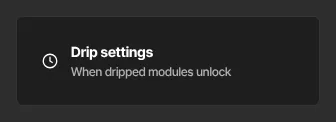
- Click Settings in the sidebar, then the Drip settings card ("When dripped modules unlock").
- The Drip settings page (
/settings/drip) has one box, Drip release time. Pick an hour from 12:00 AM to 11:00 PM. It starts at 9:00 AM. - Click Save. A green Saved badge appears.
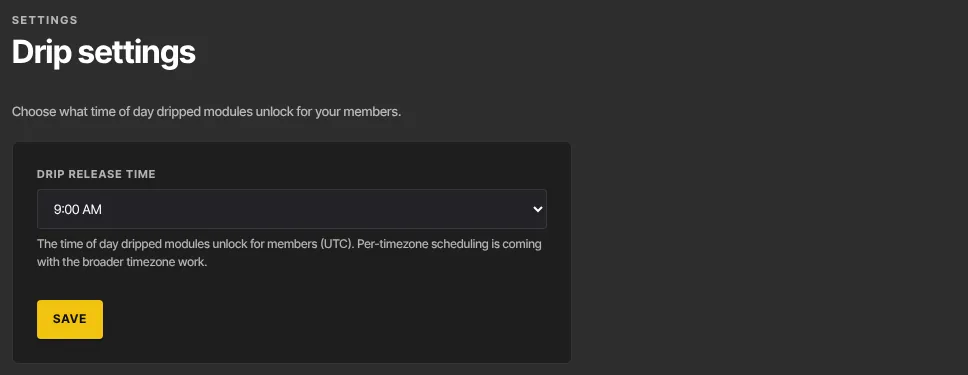
The hours are in UTC (Coordinated Universal Time), not your local time and not the timezone on Account details. To have lessons open at 9:00 AM where you are, pick the UTC hour that matches 9:00 AM in your timezone. The difference can shift by an hour when clocks change for summer or winter.
How unlock times are worked out
A dripped lesson opens on its unlock day, at the release time:
- Evergreen courses count the days from when each member enrolled. With a 7-day drip and a 9:00 AM release time, a member who enrolls at any time on the 1st (UTC) can open the lesson from 9:00 AM UTC on the 8th.
- Cohort courses count the days from the cohort's start date, so the whole group gets the lesson at the same moment. See Cohort courses.
The release time only affects lessons set to drip.
What members see
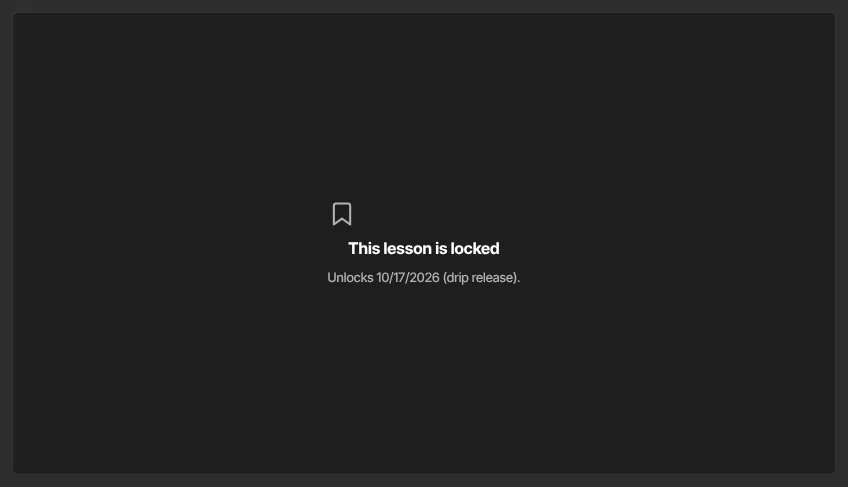
Until the unlock moment, a dripped lesson shows This lesson is locked, with "Unlocks" and the date. Once the release time passes on that date, the lesson opens the next time the member loads it.
Members also get a "New lesson unlocked" email for each dripped lesson, sent at the moment the lesson opens for them: your release time on the unlock day, counted from the cohort's start date in a cohort course. Just before sending we check again, so no email goes to a member whose access was refunded or revoked, or for a lesson that's back in draft or no longer set to drip.
- A dripped lesson you publish later is announced to existing members when it opens for each of them. If it's already open for someone when you publish it, they don't get an email for it.
- A member who joins after some dripped lessons have already opened (for example, late to a cohort) gets emails only for the lessons still to come.
- A member whose access comes back after a refund or a lapsed subscription gets emails for the lessons that open from then on.
What happens next
- A new release time applies straight away to every dripped lesson that hasn't opened yet, in every course, because each lock is worked out when a member opens the lesson. The "New lesson unlocked" emails move to the new time too.
- No email is sent to you or your members when you change it.
Common errors
- "Only owners and admins can change this.": you're staff or a viewer. If you're the owner and see this when saving, your free trial has ended and the workspace is read-only: subscribe in Settings → Billing.
- "Pick a valid hour.": choose an hour from the list, then save again.
- "Could not save.": a temporary problem. Try again.
- A member says a lesson is still locked: check the date under This lesson is locked. The lesson opens at your release time, in UTC, on that date, and the "New lesson unlocked" email goes at that moment, not before.