Once your products are in, the Offers & coupons import recreates your old platform's offers (what you sell, at what price and on what plan) and your discount codes from one JSON file. Offers attach to the products you imported, and a bundle offer can include several products. You see a preview before anything is saved.
Who can do this
- Owners and admins, from Settings → Import & migrate (
/settings/import). Staff and viewers see "Only owners and admins can run imports." - Import your products first: each offer is matched to a product by that product's
source_ref. See Course import file format.
Prepare the file
The file is { "offers": [ … ], "coupons": [ … ] }. You can leave either list out, but not both.
For each offer:
- Required:
source_ref(the offer's id on your old platform),nameandproduct_source_ref(thesource_refof the product it sells). price_cents: the price in whole cents, so4900is 49.00. It defaults to 0.plan:one_time,subscription,payment_planorfree. Without one, a price of 0 becomesfreeand anything elseone_time.- For subscriptions,
interval(monthoryear) andinterval_count. status:draft,publishedorarchived. Without one, the offer comes in as a draft.- Optional:
currency,descriptionandinternal_name. bundle_product_source_refs: for an offer that includes several products, list every product'ssource_ref. When you run Bulk access re-grant later, buyers of the offer get every product in the list.
For each discount code:
- Required:
codeanddiscount_type(percentoramount). percent_off(1 to 100) for a percent code, oramount_off_centsfor an amount code.- Optional:
duration(once,foreverorrepeating),duration_monthsandstatus(activeorarchived).
Import the file
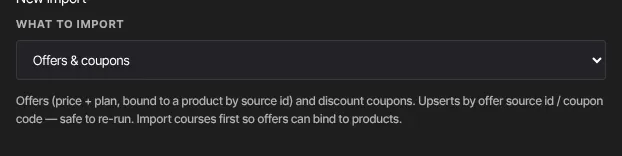
- In New import, set What to import to Offers & coupons.
- Upload or paste the file and click Preview import.
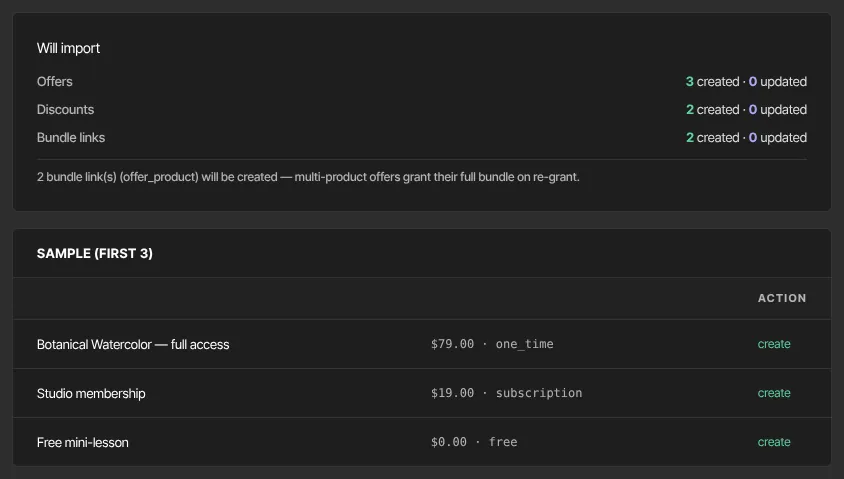
- Under Will import, check Offers, Discounts and Bundle links, each with created and updated counts. The notes say if any offer has no matching product (it will be skipped) or if a bundle product can't be found.
- Click Commit import, then View offers →.
Running the file again updates offers by source_ref and codes by code, replacing changes you've made here since.
Imported discount codes
Each active imported code is set up to discount at checkout, the same as one you create on the Discounts page. If that setup fails for a code, Import results lists it with "Stripe discount not created:" and the reason; that code isn't accepted at checkout until it's fixed, so run the import again or create the code with New discount on the Discounts page (see Discounts and discount codes). If New discount says "Could not create the coupon — check the code isn’t already in use and any expiry date is in the future.", an imported code already uses that text, so choose a different code. Codes imported before this was in place may need setting up again: contact Zinstruct support.
What happens next
- Offers come in as drafts unless your file says otherwise. Open each one in Revenue → Offers to check its price and checkout before you publish it; see Create an offer.
- Importing offers doesn't give anyone access. Access comes from your purchase history; see Migrate purchase history and access.
- Nobody is emailed.
Common errors
- "Skipped — no product with source_ref "…"": that offer's product isn't imported, or the id doesn't match. Import the product, then the offers file again.
- "Coupon "…" is percent but has no percent_off" or "Coupon "…" is amount but has no amount_off_cents": add the missing value. The code is saved anyway, so import the fixed file again to correct it.
- "Provide at least one offer or coupon.": both lists are empty or missing.
- "Invalid input: expected string, received undefined" next to a field such as
offers.0.product_source_ref: a required field is missing. - "Invalid option: expected one of …": a
plan,interval,statusordiscount_typeisn't one of the values above. - "Only owners and admins can run imports.": ask an owner or admin.