The Creator Brief is our own newsletter for people who build and sell courses. It's separate from your workspace: joining or leaving it doesn't change your account, your plan or any email about your account, and it has nothing to do with your contacts or the emails you send them.
Who can do this
Anyone with an email address, with or without a Zinstruct account. You don't need to sign in to join or to leave.
Join The Creator Brief
- Go to zinstruct.com and scroll to the newsletter box in the footer.
- Type your email address and press the arrow button next to it.
- The box says "Thanks — you’re on the list!" New issues arrive by email as they're sent. There's no confirmation email to click.
Leave The Creator Brief
- Open any issue and click the unsubscribe link at the bottom.
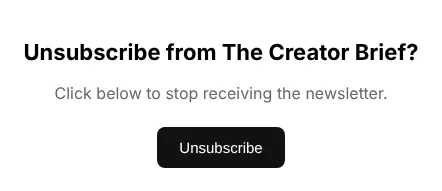
- A page asks Unsubscribe from The Creator Brief? Nothing changes until you press the button, so a link scanner can't unsubscribe you by accident.
- Click Unsubscribe.
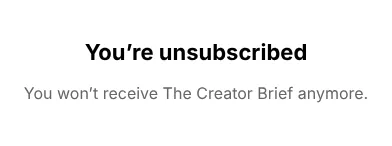
- The page confirms You’re unsubscribed: you won't receive The Creator Brief anymore.
If your email app shows its own unsubscribe button at the top of the issue, it does the same thing in one click, without opening the page.
Your contacts are separate
The Creator Brief is our list, not yours. Your own contacts unsubscribe from your school's marketing with the link in your emails, and that only affects email from your school. See Email preferences and unsubscribes.
What happens next
- Later issues skip your address straight away.
- Email about your account keeps coming: sign-in and password emails, billing notices, and the notifications you've turned on in Settings.
- Changed your mind? Join again from the footer box.
Common errors
- "Enter a valid email address.": check the address for typos.
- "Too many attempts — please try again later.": there were several sign-ups from the same address or network in the last hour. Try again later.
- "Something went wrong — please try again.": a temporary problem on our side. Try again in a moment.
- "Link not valid": the page says "This unsubscribe link is invalid or has expired. If you keep getting emails, reply and ask to be removed." Your email app may have cut the link short. Use the link in another issue, or reply to an issue and ask to be removed.