If you've forgotten your password, request a reset from the sign-in page. We email you a code and a link. Use whichever is easier; both work, but only once.
Who can do this
Anyone with a Zinstruct login: owners, admins, staff and viewers. For your safety, the reply is the same whether or not an account exists for the email you type.
Reset with the code
- On the Welcome back page (
/login), click Forgot password?. The page is titled Reset your password. - Enter your Email and click Send reset code.
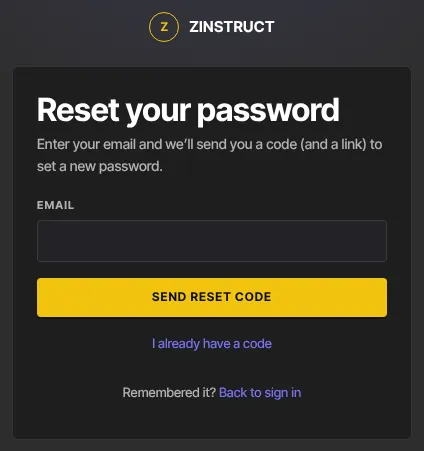
- The page says "If an account exists for that email, we’ve sent a code (and a reset link)." and shows the code step.
- Fill in Code from the email, then New password and Confirm new password (at least 8 characters).
- Click Update password. You're signed in and taken to your Dashboard. If your account has two-factor authentication, you enter your 6-digit code first.
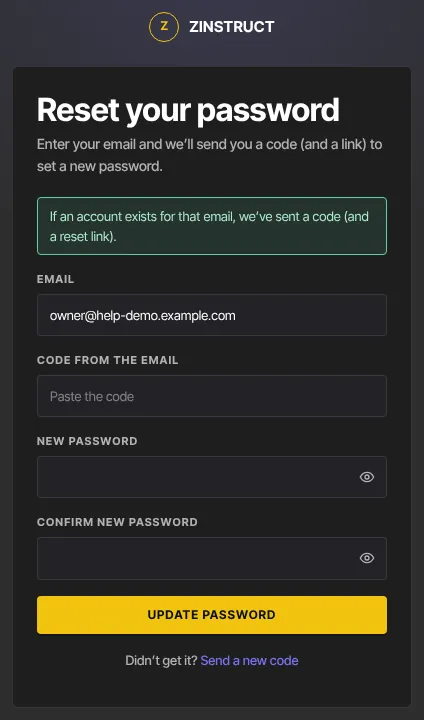
Already have a code from an earlier request? Click I already have a code to go straight to the code step. Need a fresh one? Click Send a new code.
Reset with the link
- In the "Reset your password" email, click the link. A page titled Reset your password asks you to press Continue.
- Click Continue. The page changes to Choose a new password.
- Enter New password and Confirm new password, then click Update password. You're signed in and taken to your Dashboard.
The code and the link belong to the same request: using one uses up the other.
What happens next
- Your new password works straight away on every device.
- Want extra protection? Turn on two-factor authentication.
Common errors
- "Enter a valid email address.": check the email for typos.
- "Too many attempts…": too many reset requests in a short time. Wait a few minutes.
- "We couldn’t confirm you’re not a bot. Please reload the page and try again." or the button stays greyed out: a quick, usually invisible check that you're a person didn't finish. Reload the page. If it keeps happening, a browser extension or network filter may be blocking challenges.cloudflare.com: allow it, or try another browser or network.
- "We can’t send email right now…": a temporary problem on our side. Try again shortly.
- No email arrives: check spam and junk, and make sure you typed the email you sign in with. We never say whether an address has an account.
- "That code is invalid or has expired. Request a new one.": codes expire quickly and work once. Click Send a new code.
- "That link has expired or was already used. Request a new one.": click Request a new code and link.
- "That reset link is incomplete. Request a new one.": the link was cut short, often by an email app. Request a new one, or use the code instead.
- "This reset link has expired. Request a new one from “Forgot password”.": start again from Forgot password?.
- "Use at least 8 characters" / "Passwords don’t match": fix the new password fields.