Once you've added an endpoint, we send it a signed message for every matching event. This article explains what each delivery contains, how your receiving system checks it's genuine, what happens when your system doesn't answer, and how to read the delivery log and resend a delivery. To add an endpoint first, see Set up webhooks.
Who can do this
- Owners and admins read delivery logs and use Resend on Settings → Webhooks. Staff and viewers can't open the webhook pages.
- Your developer builds the receiving side, using the endpoint's signing secret. That part needs no Zinstruct login.
What a delivery contains
Each delivery is an HTTPS POST with a JSON body:
id: the event's id. It stays the same on every retry and on Resend, so use it to skip events you've already handled.type: the event, for exampletransaction.succeeded.api_version:2026-05-24.created_at: when the event happened, in UTC.data: the details. Some events carry little more than the record's id; fetch the rest with the API if you need it.
It also carries these headers: X-LawtonEdu-Signature (the signature), X-LawtonEdu-Event (the event type), X-LawtonEdu-Event-Id (the same id as the body) and X-LawtonEdu-Delivery (this delivery's own id). The user agent is LawtonEdu-Webhooks/1.
Check the signature
- Read the raw request body exactly as it arrived, before parsing it.
- Split the
X-LawtonEdu-Signatureheader, which looks liket=1760000000,v1=5f2c…, into itstvalue (a time in seconds) and itsv1value. - Join the
tvalue, a full stop and the raw body into one piece of text. - Compute an HMAC-SHA256 of that text, using the endpoint's whole signing secret,
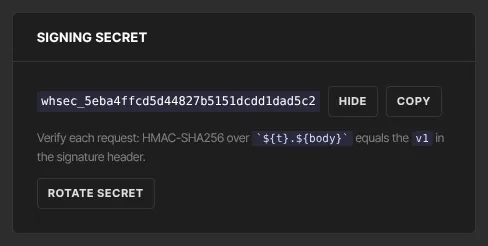
whsec_included, as the key. Write the result as hex. - Accept the delivery only if it matches
v1andtis within five minutes of your server's clock. That rejects tampered and replayed messages. - Answer with any 2xx status within 10 seconds. Do slow work after you've answered.
The same rule is printed under Signing secret on the endpoint's page, where Reveal shows the full secret.
Retries
A delivery fails if your endpoint answers with anything other than 2xx, takes longer than 10 seconds, answers with a redirect, or its address leads to a private network. We then try again with longer and longer gaps, up to six tries in all. Each try is signed afresh, so t is always recent.
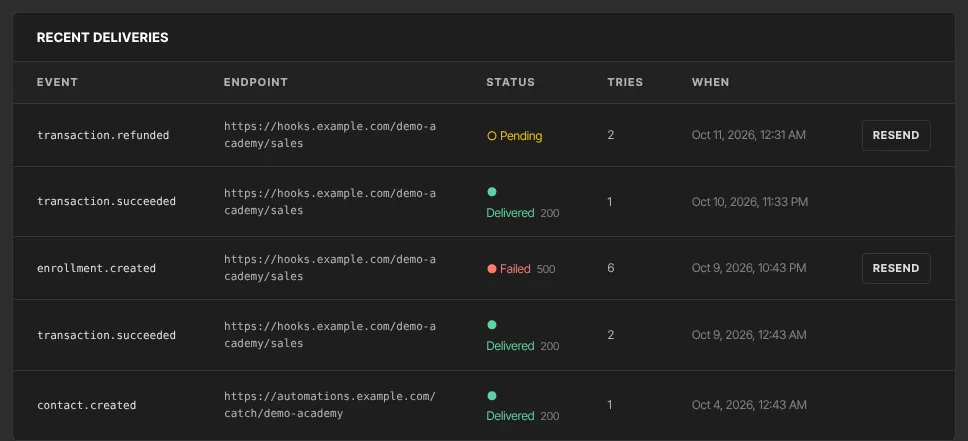
- While it's retrying, the delivery shows ○ Pending.
- If the last try fails, it shows ● Failed with the last error.
- When your endpoint accepts it, it shows ● Delivered and the status code your endpoint returned.
We don't email you when deliveries fail, and an endpoint that keeps failing stays switched on. Check the log after any change on your side. If you disable an endpoint while a delivery is still retrying, that delivery is marked failed with "endpoint inactive". Deleting an endpoint deletes its deliveries too.
Read the delivery log
- On Settings → Webhooks, Recent deliveries shows the latest 25 deliveries across all endpoints, with Event, Endpoint, Status, Tries and When.
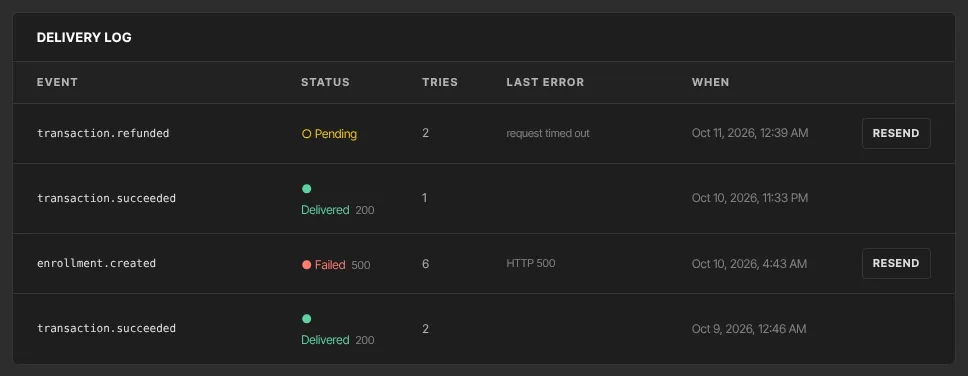
- For one endpoint, click Manage and scroll to Delivery log: its latest 100 deliveries, with Event, Status, Tries, Last error and When.
Resend a delivery
- Find the row in Recent deliveries or in the endpoint's Delivery log.
- Click Resend. It shows on every row that isn't ● Delivered.
- The row goes back to ○ Pending and gets a fresh set of tries. We send the original event again, with the same
idandcreated_at.
Use Resend on ● Failed rows. On a row that's still ○ Pending, it starts a second set of tries next to the one already running, so your endpoint may get the same event twice. That's one more reason to skip ids you've already handled. Resend on a disabled endpoint fails again straight away with "endpoint inactive"; click Enable first.
Accounts with the hosted webhook portal
If your Webhooks page shows Open webhook portal instead of the form, deliveries, logs and resending all live in that portal, and your system checks the svix-signature header instead, with the signing secret the portal shows for each endpoint. That includes endpoints you added on the form before the portal was switched on: they're copied into the portal, so use the secret it shows for them. The log and Resend steps above don't apply.
What happens next
- After you fix a problem on your side, resend the ● Failed rows.
- Every event is delivered at least once, and the same event can arrive more than once, so always de-duplicate on
id.
Common errors
These are the messages you'll see under Last error:
- "HTTP 500" (or another number): your endpoint answered with that error code. Check your server's logs.
- "HTTP 301", "HTTP 302" or another 3xx: redirects aren't followed. Add a new endpoint with the final address.
- "request timed out": answer within 10 seconds, and do slow work afterwards.
- "Host does not resolve": the domain name doesn't exist, or its DNS isn't set up.
- "Host resolves to a private address": the domain points at a private network. Use a public address.
- "endpoint inactive": the endpoint was disabled while the delivery was waiting. Click Enable, then Resend.
- Your system rejects every signature after you clicked Rotate secret: update it with the new secret.